Before the client
Include setup that has to happen for each appointment: preparing tools, reviewing a request, or opening the session. One-off opening tasks belong outside your available day.
FOR THE BUSINESS YOU RUN YOURSELF
Get BookingSolved on the App Store
Leave room for the reset, the next drive and your own break. Build a day that includes the work between clients.
Downloads stay on your device until you choose to share or import them. Nothing is booked, sent to clients, or added to a calendar automatically.
Explore BookingSolved →COUNT THE WHOLE APPOINTMENT
Include setup that has to happen for each appointment: preparing tools, reviewing a request, or opening the session. One-off opening tasks belong outside your available day.
Include cleanup, notes and any reset you need before the next person. The last appointment still needs cleanup, so the plan keeps it inside closing time.
Add a travel or transition gap when clients are in different places. It is counted between appointments, not after the last one. Your commute to and from work is separate.
5 minutes of preparation + 45 minutes of service + 10 minutes of cleanup = 60 minutes before any travel. In a four-hour window with no break or travel, that fits four complete appointments. Counting only the service would suggest five.
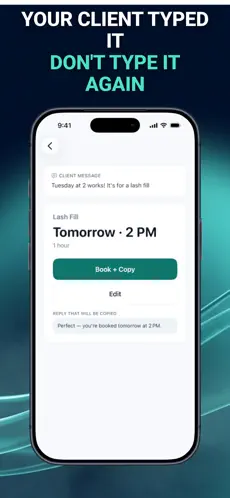
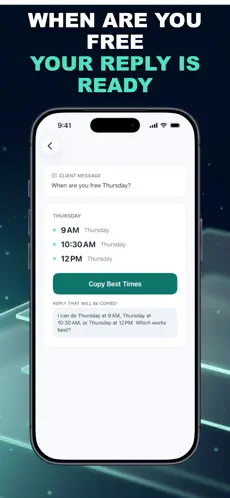
Inside BookingSolved · actual app screens
Planned the buffers? See how BookingSolved turns a request into a proposed booking you review before saving.
THE NEXT STEP, IF IT FITS YOUR WORK
BookingSolved helps independent service businesses review a proposed booking against Apple Calendar. You choose the request text or screenshot, approve the calendar change, and send the reply yourself.
iPhone / iPad · iOS 18+ · Free download with optional in-app purchases. This planner is a separate free web tool and does not sync with the app.
Minutes not assigned to a service, preparation, cleanup, travel or the scheduled break. It includes gaps caused by fitting whole appointments around the break and any time left before closing.
This version models repeated appointments of the same length. Use separate scenarios for different services; it does not optimize a mixed appointment book.
No. It contains draft appointment blocks, the planned break and travel gaps. Appointment blocks include preparation and cleanup; the service time is written in the event description. Review the file before importing it. Times are local, with no timezone conversion or daylight-saving calculation.
The calculator runs in your browser. This page does not submit or save your form entries, and there are no client-name or contact fields. The hosting platform may process ordinary website access information.
Choose a practical tool to use in your browser.
Work backward from the appointment and check which reminder windows were still available when the booking arrived.
Try these related tools in your browser.
Try these related calculators and practice tools.